
Improving a Partner Management Portal
Sangoma, a leading Unified Communications as a Service (UCaaS) provider, delivers carrier networks, communication applications, and hardware solutions to businesses of all sizes. The team needed a centralized partner portal where sales partners could register customer deals, access up-to-date product resources, and stay informed about the latest news—all while reducing the burden on internal teams.
MVP Goals
Minimize the workload on internal employees managing partner sales
Equip partners with tools to streamline and complete sales efficiently
Ensure partners always have accurate, up-to-date product news, deals, and marketing materials
Establish a scalable process that eases development and marketing management
My Role
User Research
UX Strategy & Roadmapping
UI Design
User Testing
Project Management
Stakeholders
Primary: Developer, Partner Manager, Sales Team Lead
Consulted: 3 Product Managers, Support Team Lead, Marketing Manager
My Design Process
Part 1: Understanding The Problem
Without a central resource hub, partners relied on outdated materials or frequently submitted support requests, resulting in inefficiencies and misinformation throughout the sales process.
Getting to Know the Users
After identifying the business-side problem, I focused on understanding partner goals and pain points:
Surveyed partners to gather broad feedback on the existing sales process.
Analyzed responses to identify key themes and patterns.
Selected participants for deeper insights through interviews and testing.
Conducted 10 partner interviews to uncover detailed pain points and workflow challenges.
Created a user persona and presented findings to key stakeholders to inform design decisions.
Site Planning - Informing the structure
To structure the partner portal effectively and align on priorities for the MVP:
Conducted a card sort with 10 current Sangoma partners to understand how they naturally organize content.
Surveyed partners to identify the most important features and gather input for both current and future portal phases.
Developed the portal architecture for the MVP, ensuring alignment with technical feasibility and project timelines through discussions with development stakeholders.
Collaborated with stakeholders to review recommendations, define required data for each section, and assign ownership for content curation and management post-MVP.
Artifact from Stakeholder discussion + Open questions
Generating an Initial Visual Direction
After gathering insights from stakeholders and partners, I began translating research into tangible layouts. I created a series of wireframes to explore different visual directions and help stakeholders clarify which data points were most critical for the portal.
Typically, I rely on components from our design system to quickly mock up interfaces, but the out-of-the-box portal platform introduced constraints that required creative adaptation. This challenge pushed me to rethink standard patterns, ensuring the designs were both practical within the platform and intuitive for users, while still aligning with our overall design standards.
Testing & Rollout Plan
To validate the initial high-fidelity mockup, I conducted usability testing with 25 unaffiliated users, ensuring a strong baseline of usability for the portal. Typically, I test with around 10 users; however, early discussions with stakeholders revealed that this sample size wouldn’t provide sufficient confidence in the results.
To address their concerns, I proposed increasing the test group to 20–25 users, while transparently communicating the implications for timelines and budget. After gaining stakeholder consensus, I sourced participants through UserTesting.com and ran the sessions, collecting actionable insights to inform iterative improvements.
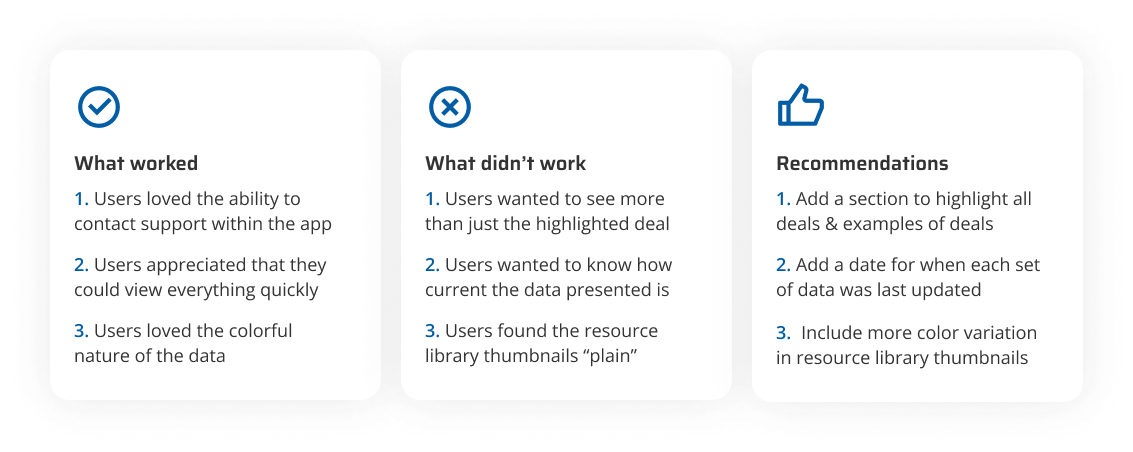
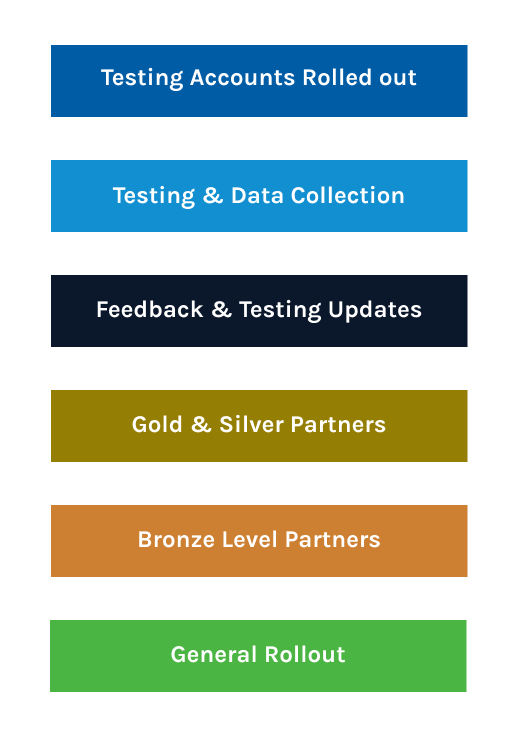
After completing usability testing, the MVP was finalized, and testing accounts were set up for 20 Sangoma partners who had opted in during the initial phase. During this stage, I conducted moderated tests, A/B tests, and surveys to identify and resolve any remaining issues before full rollout.
Once feedback was successfully addressed, the portal was launched in a phased approach by partner level:
Gold & Silver Level Partners
Bronze Level Partners
All Other Partners
This structured rollout ensured a smooth adoption while allowing the team to monitor performance and address any issues incrementally.
The Final Design
The dashboard gives partners a glance at the most important information. They can see their partner tier and status as well as benefits, YTD Sales by product, upcoming training provided by Sangoma, the latest product news, and the latest resources.
Register a Deal
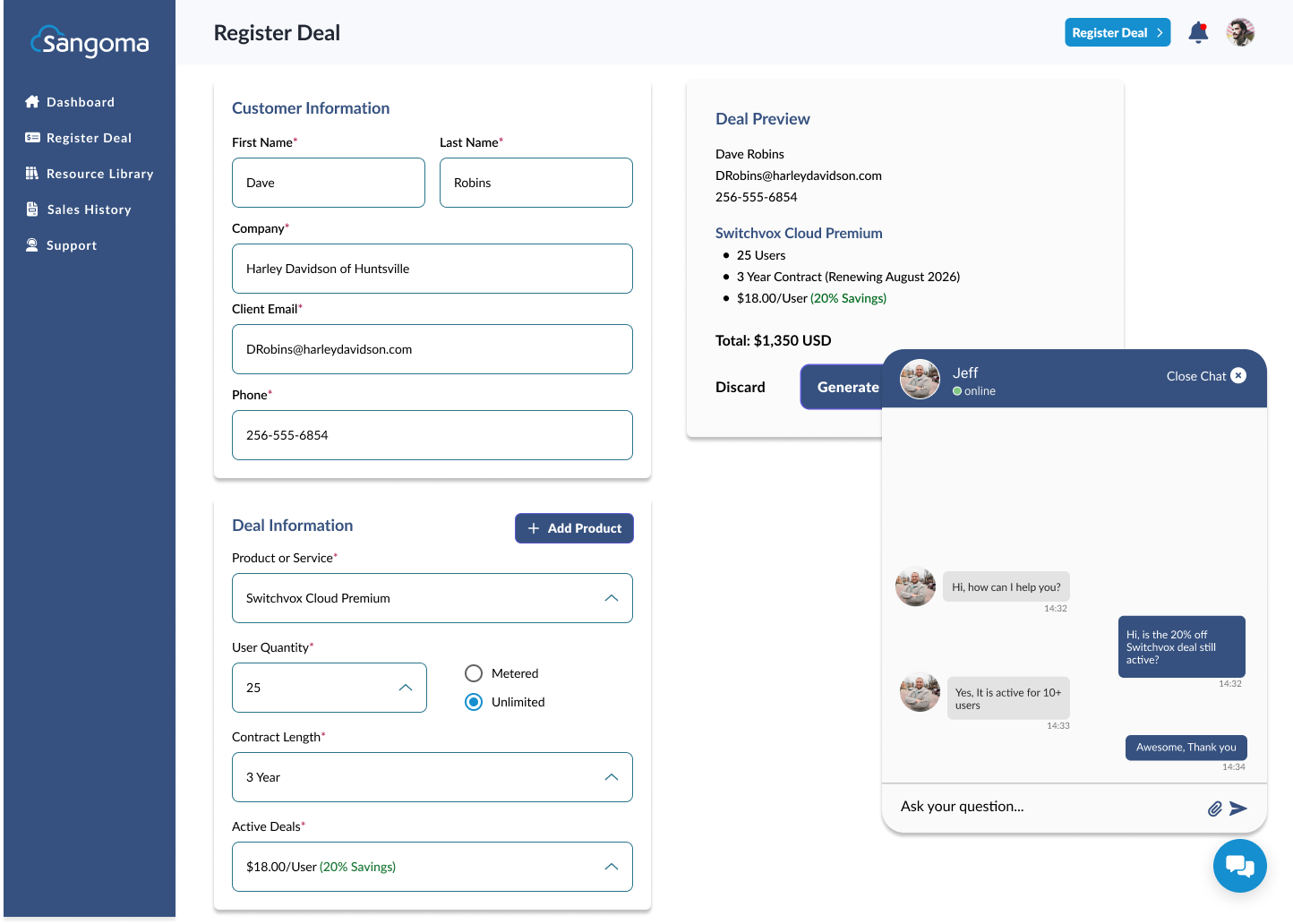
Partners can enter the customer's information and register multiple deals in a single instance. When a deal is generated, an invoice is created within the system and is available for download.
Resource Library
Partners can see the most up-to-date co-branded marketing collateral to aid in sales.
Sales History
Partners can see a complete sales history and sort it by status. Partners are able to export specific sales into a CSV file or download individual invoices.
Support
Silver and gold level partners will have 24/7 priority access to dedicated Sangoma personnel to aid in all issues. Verified partners and agents will be directed to a contact form.
Impact & Learnings
Key Learnings and Impact
Engaging users early, before structuring the portal, was invaluable for understanding their challenges and recruiting participants for later testing.
A staggered rollout allowed us to address bugs and design issues early, while providing data to build internal confidence in the solution. Maintaining transparency throughout the process fostered trust between UX and stakeholders, many of whom had not previously collaborated with UX, and gave them a sense of ownership in the project.
Over the six months following release, the sales team experienced a 42% reduction in partner management workload. This metric is derived from internal call and chat logs; although email data wasn’t fully captured, sales representatives reported a noticeable decrease in partner emails, further validating the portal’s impact.
Pain Points & Opportunities for Growth
Working with four teams, plus business leaders as stakeholders, created challenges in decision-making, as each team prioritized different aspects of the portal that they felt were most important to users.
A recurring pain point was defining which team would provide content and establishing a clear content approval process. Moving forward, setting deadlines for content during regular touchpoints could streamline this process.
Additionally, aligning early with development on what is achievable within the MVP is critical. During discovery, stakeholder requests expanded the feature set, extending the project timeline. Clear expectations upfront would help balance ambition with feasibility in future projects.